
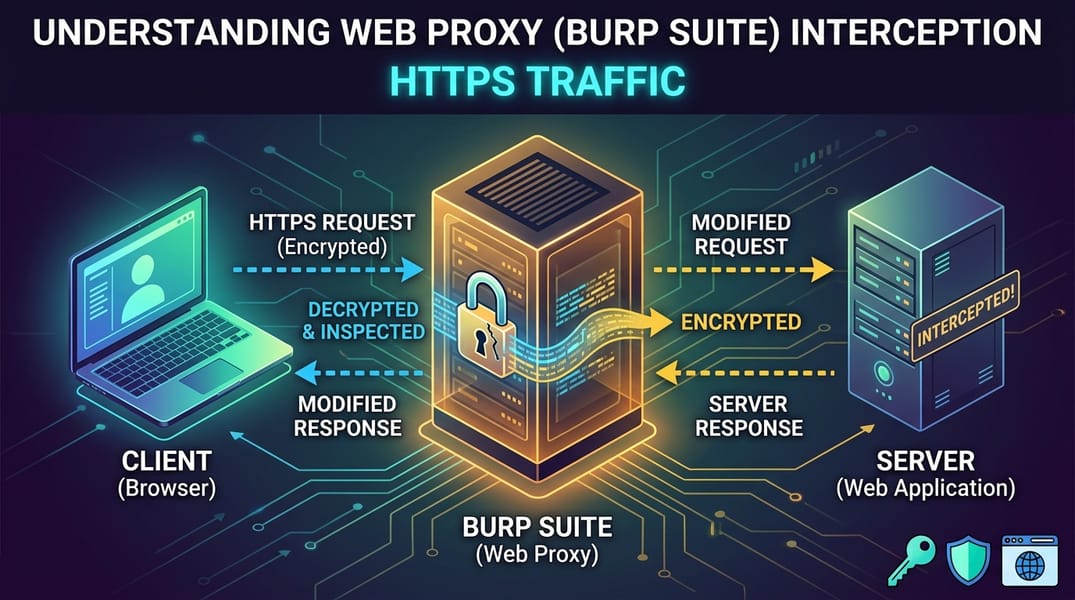

If you have ever sniffed raw network traffic with a tool like wireshark or tcpdump while a web application is running, you already know the frustration: a HTTPS POST request goes out, and all you capture is encrypted noise. TLS does exactly what it is designed to do - it hides the request line, the headers, and the body from anyone sitting on the wire between the client and the server. From a pure packet-capture perspective, you cannot recover the plaintext of a POST body, cookies, or Authorization headers. That's the whole point of TLS.
Yet, the moment you route that same traffic through Burp Suite or any other similar type proxy like OWASP ZAP, mitmproxy, Charles Proxy or Proxyman the exact same POST request appears in full plaintext method, headers, body, everything, ready to be inspected, repeated, and modified.
This isn't a TLS vulnerability. It's not "breaking encryption" in the cryptographic sense. It's a deliberate, consent-based interception technique that every penetration tester relies on daily. This post breaks down exactly how it works, why it's safe (when done correctly), and what it means for your assessments.
The Core Idea: Two TLS Connections, Not One
The trick behind HTTPS interception is simple once you see it: an intercepting proxy doesn't break TLS, it terminates one TLS connection and originates a second one.
Normally, HTTPS looks like this:
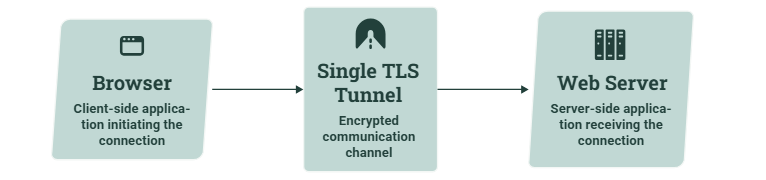
With Burp in the middle, it becomes two separate, fully valid TLS tunnels stitched together by the proxy:

Burp sits as a server to your browser, and as a client to the real destination. It decrypts traffic on one side, reads/modifies it in plaintext, re-encrypts it, and forwards it on the other side. Neither TLS tunnel is "cracked", each is a legitimate and independently negotiated TLS session.
The Traffic Interception Flow
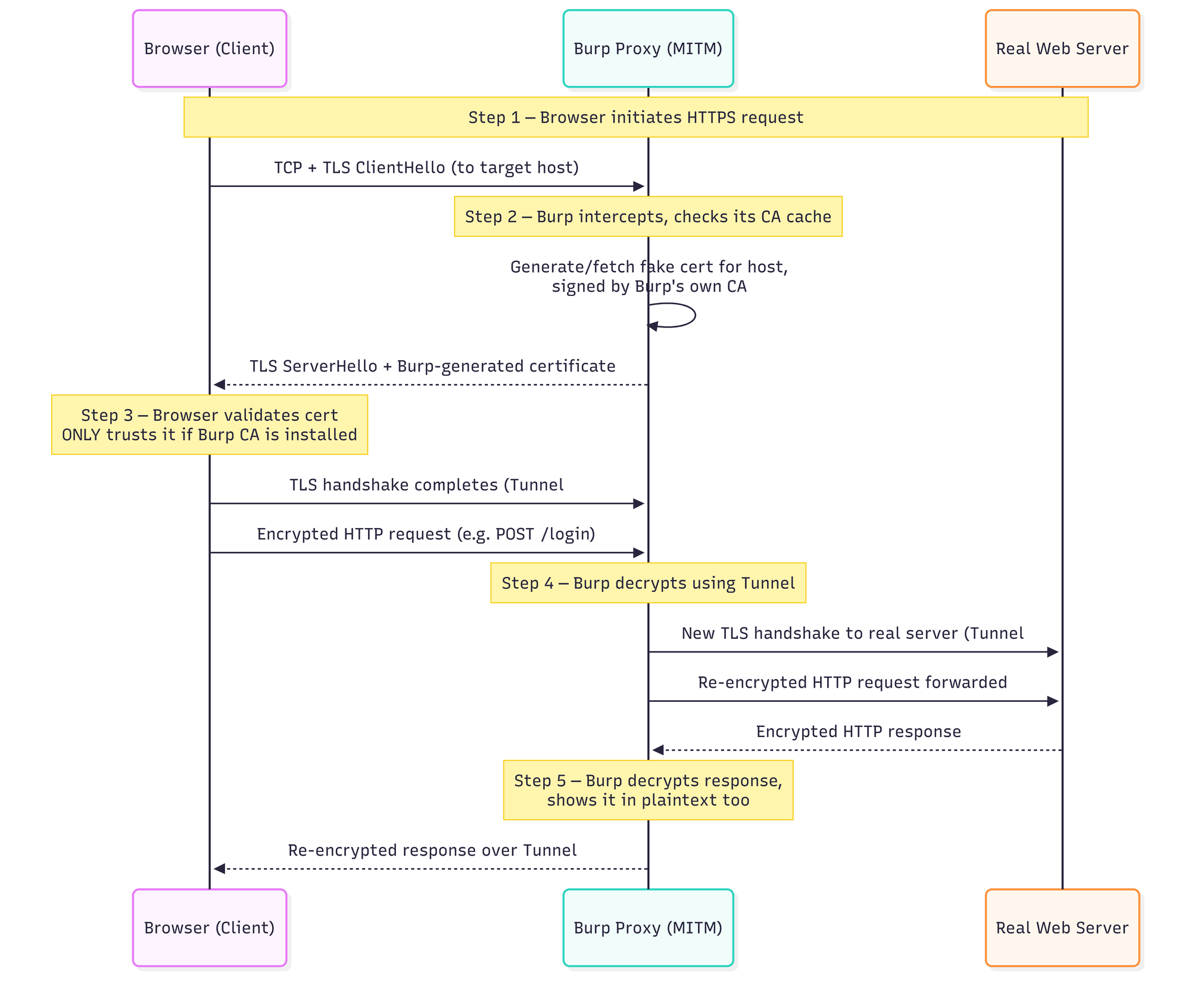
Two independent, cryptographically sound TLS sessions with Burp holding the unencrypted data in the middle in it's memory for as long as it takes to render it on your screen in tabs like the Proxy, Repeater etc.
Why Installing Burp's CA Certificate Is Necessary
This is the step every pentester does once per test environment, and it's the pivotal part of the whole technique.
What TLS is actually protecting against
One of TLS's core jobs is server authentication: it proves to your browser that bank.example.com really is bank.example.com and not an attacker pretending to be it. It does this through the certificate chain of trust. Your OS or browser ships with a list of trusted root Certificate Authorities (CAs) and any certificate that chains up to one of those roots is accepted as legitimate. TLS also provides confidentiality (encryption) and integrity (tamper detection).
Why Burp breaks that trust by default
When Burp intercepts a connection to bank.example.com, it can't present the bank's real certificate because it doesn't have the bank's private key. So Burp does the next best thing: it dynamically generates its own certificate for bank.example.com, signed by Burp's own CA and presents that instead.
Your browser checks this certificate against its trusted root store. If Burp's CA isn't in that store, the browser correctly flags this as suspicious (NET::ERR_CERT_AUTHORITY_INVALID or similar). Because, cryptographically this is exactly what a man-in-the-middle attack looks like. Browsers can't tell the difference between "an authorized pentester's proxy" and "an actual attacker". They only know whether the signing CA is trusted.
The fix: explicitly trust Burp's CA
Burp generates a unique CA certificate the first time it launches and stores it locally. By exporting that CA cert and installing it into your browser's (or OS's or mobile device's) trusted root store, you're telling the client: "I trust anything signed by this specific CA." From that point on:
- Burp generates a leaf certificate for every host you visit, signed by its CA.
- Your browser validates the chain successfully (Burp CA → leaf cert) and shows no warning.
- HTTPS browsing continues to work normally, but every request or response now passes through Burp in plaintext.
This is not mandatory if you only care about plain HTTP traffic, but for any real-world web app assessment (which today means almost 100% HTTPS), it's effectively required to get useful results.
Pentest note: Installing the CA cert is a one time, per test machine or device action. It should only ever be done on systems you're authorized to test from. Never trust a random proxy CA on a personal or production device. This is precisely the technique threat actors abuse in illegitimate MITM attacks, which is why unauthorized use of this exact same method is a criminal offense in most jurisdictions.